World of Warcraft: Forever – Explore WoW: Forever with a Gamepad
- Published
- (8 days ago)
- Type
- News
- Build
1.60.1.70707→1.60.1.70755- Source
- worldofwarcraft.blizzard.com
Get World of Warcraft: Forever updates in Discord Free · new patch notes posted automatically
Summary
A spell to cast, an ally to heal, a well-earned reward to collect—there’s plenty to keep you busy in Azeroth. If you prefer a gamepad, World of Warcraft: Forever gives you another way to join the action.
In World of Warcraft: Forever, we’ve refined targeting, casting, looting, and menu navigation for gamepads while keeping the familiar feel players have come to know.
Get to Know Your Gamepad Experience
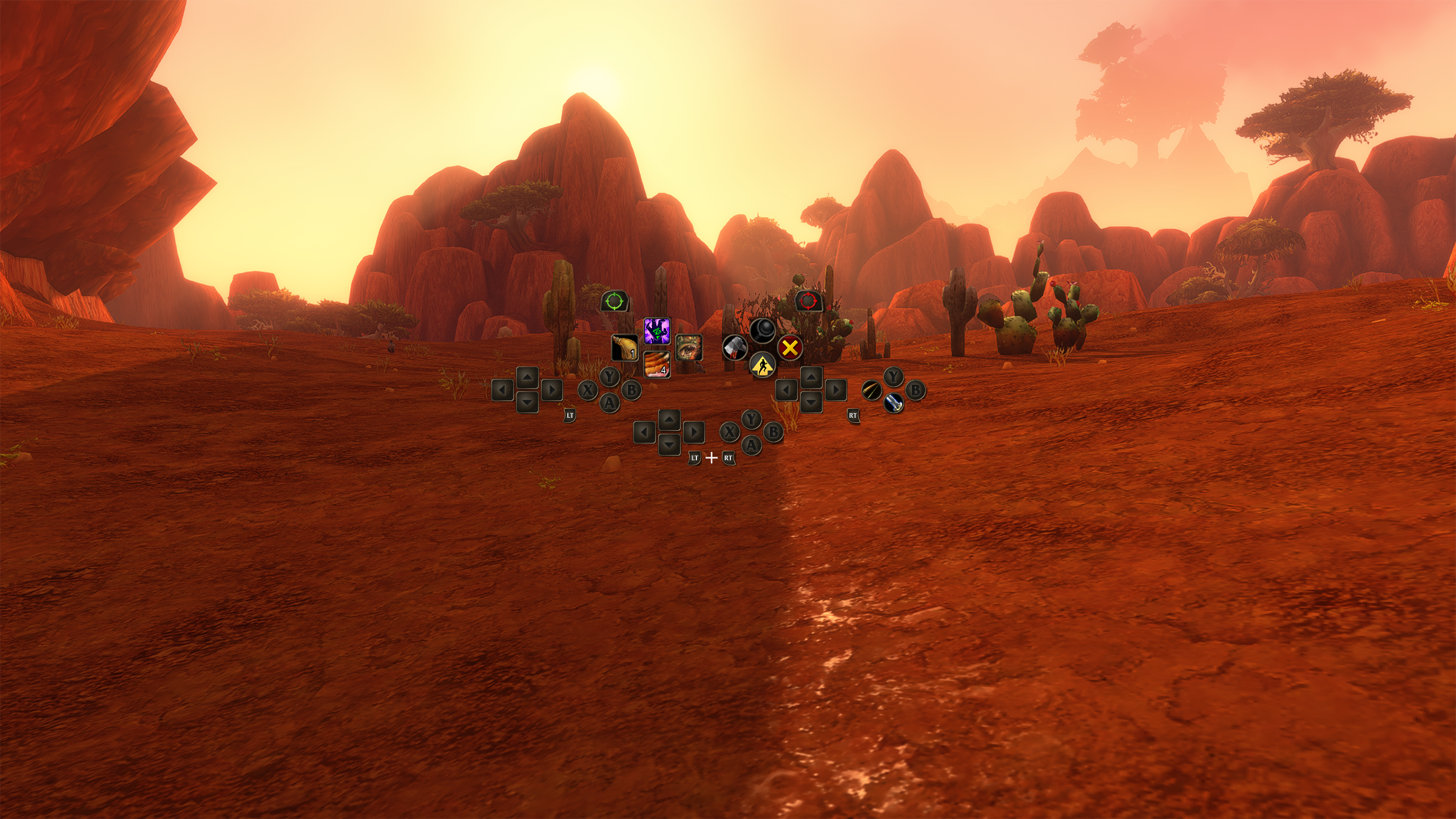
WoW: Forever supports all XInput-compatible controllers and includes Xbox and PlayStation button icons to help you recognize the controls.
Switch to Gamepad Controls
Press Escape to open the Game Menu, select Options, then choose Gamepad under Gameplay to switch from keyboard-and-mouse input.
Make the experience your own in the Gamepad settings. You can adjust Camera, HUD Modifier, Frame Focus Style, Action Bars, Targeting, and Raid Targeting Options.
Just as you arrange spells and abilities on your action bars, take a little time to set up your gamepad controls around the abilities you use. Try a layout that feels comfortable, then adjust it as you learn new spells or change how you play.
A little faction pride, right in your hands!
On controllers with supported lighting, the light turns red for a Horde character and blue for an Alliance character.
Take a little time to try moving, selecting targets, and using your abilities before heading into a busy fight.
Put the Controls to Work
…
Read the full news on worldofwarcraft.blizzard.com →
Excerpt – the full text belongs to the publisher.
More World of Warcraft: Forever patch notes
- Hotfixes: November 10, 2026 2026-11-11
- Hotfixes: November 9, 2026 2026-11-10
- Hotfixes: November 6, 2026 (update) 2026-11-07
- Hotfixes: November 6, 2026 2026-11-07
- The Adventure Begins in WoW: Forever, Stay Connected with Discord, and Taldramir Takes Shape in WoW Weekly 2026-11-06
- WoW: Forever– Watch Forging Forever 2026-11-05
- Hotfixes: November 5, 2026 2026-11-05
- World of Warcraft: Forever Now Live! 2026-11-04